


Coin Identifier Coin Scanner
4.3779.00 Reviews
App Specs
- Version
- 2.6
- Updated On
- License
- Free
- Downloads
- 500,000+
- Developer
- Identifier Studio
- Categories
- Business
- Platform
- Android
Screenshots
 Analysis by AppCompare
I find coin-identification apps most useful when I treat them as a first pass, not as an authority on a coin’s value. A camera match can give you a direction to investigate, but condition, mint marks, and small design differences can change what a coin is worth. That distinction matters especially if you are sorting inherited pieces or deciding whether to sell anything. Coin Identifier Coin Scanner is aimed at making that first look easier, and I’d use it to turn a mystery coin into a more informed question rather than a final appraisal.
Where identification can get frustrating
The simplest scans are usually the most satisfying: a clear, familiar design photographed straight on. The trouble starts with worn faces, glare, unusual angles, or coins whose important detail is tiny. A scanner may return a plausible match even when the image does not show enough to distinguish between similar issues. I’d compare the result with the actual date, lettering, and any visible mint mark instead of accepting the first answer automatically.
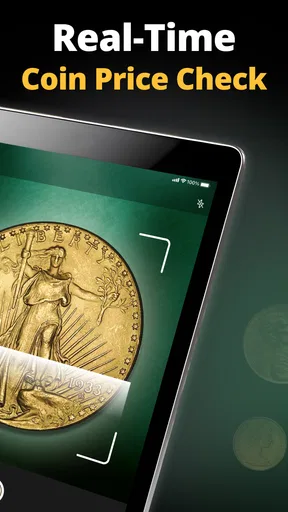
Value estimates need the same caution. A coin’s market value is not determined by its identity alone; wear, damage, rarity, and current demand all matter. A number displayed by an identification tool can be a useful prompt for further research, but it should not be treated as a guaranteed sale price. If a coin appears potentially valuable, I would check multiple reputable references or ask a knowledgeable dealer before making a decision.
Simple checks before you scan
Before taking a picture, I’d place the coin on a plain, contrasting surface and use even light. That makes the outline and design easier to see while reducing harsh reflections. Keep the camera steady and try to show the whole face rather than cropping close enough to lose the edge. If the coin has two distinct sides, check each side separately when the app’s workflow allows it; dates and identifying marks may be on either face.
If a scan does not work well, I would first retake the image rather than repeatedly submitting the same blurry view. Wipe dust from the camera lens, avoid a bright lamp reflecting directly off the metal, and move the phone until the lettering looks sharp on screen. These are basic photo checks, but they often make a bigger difference than changing several settings at random.
Recovering from a weak result
When the first identification seems off, use the returned name as a clue, not a verdict. Compare the visible design and date with the result, then take another image from a slightly different angle or under softer light. If the coin is too worn to read, note which details are still visible and search those details in a reference source. That gives you a practical way to continue even when an automatic scan cannot settle the question.
I would also keep the coin itself separate from the phone workflow: handle it carefully, avoid cleaning it just to improve a scan, and photograph it as it is. Cleaning can alter a coin’s surface and may reduce its appeal to collectors. For a high-value possibility, preserving its present condition is more important than getting a prettier image.
Worth Reading Before You Choose

Flipboard Shows What News Apps Must Do Beyond the Feed

Switching to Android Auto Means Rethinking Your Driving Routine

Google Calendar Makes a Crowded Week Easier to Manage

Ludo King Makes the Most of the Minutes Between Plans

Baby Panda World Brings Quick Play to Modern Phones, but Its Game Library Feels Busy

ESPN’s Live Game View Makes Following Close Games Easier
When the phone is not the problem
A disappointing match does not necessarily mean the camera or app has failed. The coin may be heavily circulated, damaged, obscured, or simply similar to many others. Lighting and focus can be improved, but missing design details cannot be recovered from a photo. In that situation, a printed catalogue, specialist community, or in-person opinion may be a better next step than making endless scans.
Who will get the most from it
I see the strongest use case as quick sorting: identifying a handful of coins from a family box, checking a foreign coin before a trip, or satisfying curiosity about change that looks unfamiliar. It can also help a beginner learn the vocabulary needed to research a coin further. A practical routine is to scan, verify the visible details, and then record only the pieces worth revisiting, rather than turning every ordinary coin into a lengthy investigation.
For an everyday example, imagine finding several old coins while clearing a drawer. I’d photograph each one in good light, use the result to group likely matches, and keep a short note of uncertain dates or marks. Later, I could compare those details with a coin reference or show the most promising pieces to an experienced collector. That workflow saves time without assuming every match is rare or valuable.
How it fits beside other options
Compared with searching the web manually, a camera-based identifier can be a quicker starting point because it narrows down what to look for. A catalogue or specialist reference is slower to consult but gives you more control over checking dates, varieties, and condition. Online collector groups can add human insight, though opinions may vary. I’d use the scanner for orientation and those alternatives for verification, especially before buying, selling, or insuring a coin.
The useful trade-off is speed versus certainty. A fast match is convenient when you are sorting common finds, while careful research is worthwhile when a coin’s details or value could affect a real decision. If you mainly want a professionally supported appraisal or a comprehensive research reference, this is not a substitute for either. If you want a low-effort way to begin identifying coins, it has a clearer role.
Getting Started with Coin Identifier Coin Scanner
First things first, downloading and setting up Coin Identifier Coin Scanner is a breeze. Available on both Android and iOS platforms, I found it super easy to install and get running. The interface is user-friendly, with a clean design that even a newbie like me could navigate without a hitch. All you need is a decent camera, and you're ready to explore the world of numismatics!
Using the Coin Scanner Feature
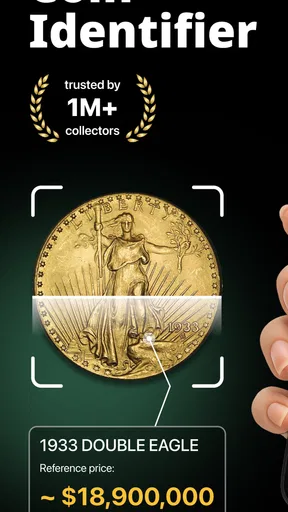
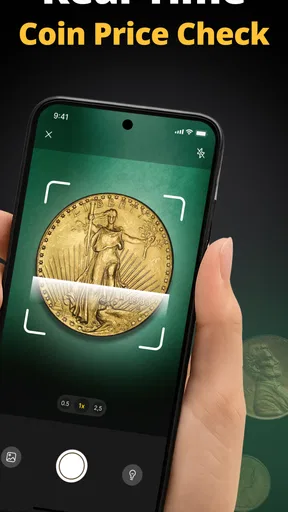
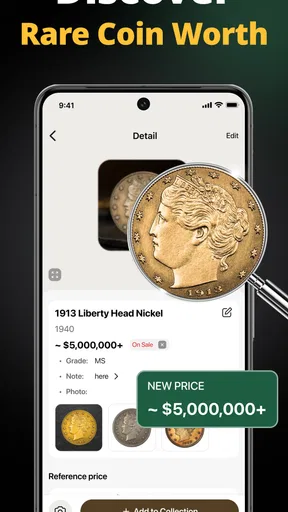
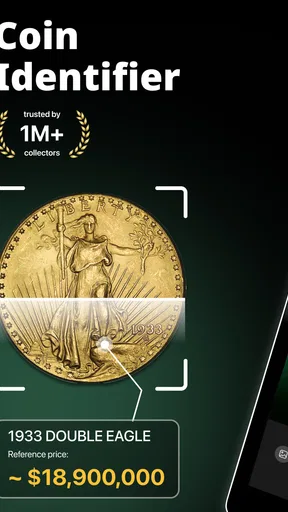
The heart of this app is its scanning feature. You simply open the app, point your camera at the coin, and voilà, the app gets to work. It’s like having a personal coin expert in your pocket. During my testing, I scanned a variety of coins, and most of them were recognized almost instantly. The app provides detailed information about each coin, including its origin, year of minting, and even estimated value.
One thing I particularly appreciated was the accuracy of the results. While no app is perfect, it came impressively close. I compared its results with some online coin databases, and it held up quite well. This feature alone makes it worth checking out if you’re a collector or simply curious about those coins lying around your house.
Exploring Additional Features
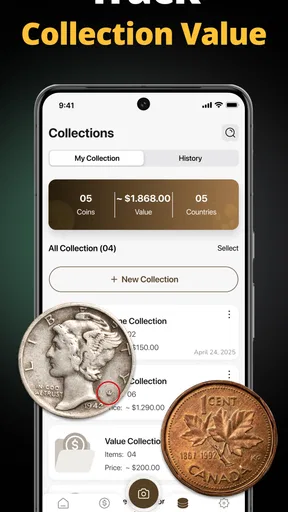
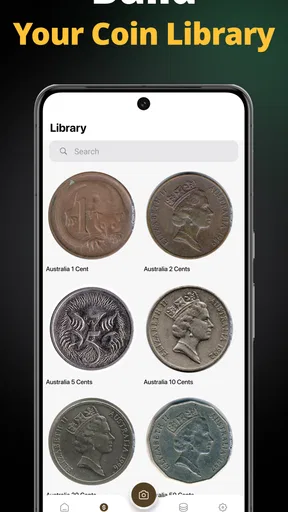
Beyond just identifying coins, the app also offers a bunch of other neat features. For instance, you can maintain a digital collection of all your identified coins. This is particularly handy if you’re a serious collector looking to keep track of what you have. The app allows you to categorize your collection, add personal notes, and even share your findings with friends or fellow enthusiasts.
Another cool feature is the app’s community aspect. There’s a built-in forum where you can interact with other coin lovers. Whether you’re looking for advice, want to show off a rare find, or just want to engage in some coin talk, this feature adds a social element that enriches the overall experience.
Performance and Usability
In terms of performance, I found the app to be quite smooth. It didn’t crash or lag, even when I was scanning coins in quick succession. The app’s responsiveness is a definite plus, especially when you’re dealing with an extensive collection. However, do keep in mind that the scanning accuracy can sometimes vary depending on the quality of your camera and lighting conditions.
Usability-wise, the app is designed with all types of users in mind. Whether you’re a casual user or a seasoned collector, the app’s design is intuitive and straightforward. And for those who love a bit of personalization, the app allows you to customize some settings, such as notification preferences and display options.
Practical fit and value
This is a business-category app from Identifier Studio, but the everyday appeal is straightforward: it helps turn a physical coin into information you can use to organize, research, or discuss a collection. It is free to install, with in-app purchases ranging from $3.99 to $39.99 per item. I’d start with the free experience and decide whether any paid option is worthwhile only after seeing how often I actually use the scanner.
The app has a 4.4 average from around 21,000 ratings, and more than 500,000 installs. Those figures suggest it has found an audience, but they do not tell me whether every identification will fit a particular coin. It is rated for Everyone, and version 2.3 requires iOS 11 or later. For Android users, I’d check compatibility on the device’s app-store page before installing.
The collection tools are most useful when you adopt a consistent habit. I’d add a short note for anything that needs follow-up, such as a hard-to-read date or a possible mint mark, rather than relying on memory after scanning a whole box. That turns the digital collection into a working research log instead of a pile of unverified labels. It also makes it easier to return to an uncertain coin without repeating the initial search.
There is a practical limit to the social side, too: a forum can help you hear how other collectors interpret a design, but a confident comment is not automatically expert authentication. I’d share clear images and ask a focused question about a visible feature, rather than asking strangers to confirm a price from one photo. That approach is more likely to produce useful discussion and keeps the app’s community in the right role—as a place to compare observations, not a substitute for professional valuation.
Who should choose another route
If you already know the coin series you collect and routinely need fine-grained information about varieties, grading, or provenance, a specialist catalogue and a knowledgeable human opinion will likely serve you better. Likewise, someone making a purchase or sale should not rely on an image match as the only basis for a financial decision. The scanner is better suited to exploration and initial sorting than to formal authentication.
It may also be more app than you need if you only have one ordinary coin to identify and do not plan to keep a collection. A web search using the visible country, date, and design can be enough in that case. On the other hand, if you have a box of mixed coins and want a convenient starting point, having identification, notes, and collection organization together can save repeated searching.
What I would check before spending
Because the app includes optional in-app purchases, I would read the purchase screen carefully and consider whether the feature being offered solves a real need for me. There is no reason to pay just because I have found a coin I cannot identify; I would first improve the photo, compare the visible details, and consult a reference. If I scan often and the paid option clearly supports my routine, I could then make an informed choice rather than paying on impulse.
My basic troubleshooting sequence is deliberately simple: check that the camera lens is clean, use stable light, keep the full coin in view, and try the other face if relevant. If the answer still looks inconsistent with the visible date or design, stop and verify elsewhere. Repeating nearly identical scans will not reveal details that the coin’s condition or the photograph has hidden.
Final Thoughts
All in all, Coin Identifier Coin Scanner is a fantastic tool for anyone interested in coins. It’s not just about identifying coins; it’s about exploring history, building a collection, and connecting with a community of like-minded individuals. If you’re ready to embark on a numismatic adventure, give this app a try. You never know what treasures you might uncover!
My recommendation is more measured than a promise of instant expertise: I’d use it as a convenient first step, then verify anything that matters. The strongest fit is a curious beginner or collector who wants to identify and organize finds without starting every search from scratch. If that sounds like you, its free entry point makes it easy to explore; just keep the distinction between an identification and an appraisal firmly in mind.
Pros
- Accurately identifies a wide range of coins.
- User-friendly interface for quick scanning.
- Regular updates with new coin data.
- Offline mode available for on-the-go use.
- Detailed coin history and background info.
Cons
- Ads can be intrusive during use.
- Limited features without premium upgrade.
- Occasional misidentification of rare coins.
- Requires good lighting for best results.
- No option for manual coin entry.
FAQs for Coin Identifier Coin Scanner
What is Coin Identifier Coin Scanner and how does it work?
Coin Identifier Coin Scanner is a mobile app designed to help users identify and learn about various coins. Using your smartphone's camera, the app scans the coin and provides detailed information such as its origin, denomination, and historical context. The app utilizes a vast database and advanced image recognition technology to deliver accurate results.
Is Coin Identifier Coin Scanner free to use?
Coin Identifier Coin Scanner offers both free and premium features. The basic version allows users to identify a limited number of coins per day. For unrestricted access and additional features like detailed historical data and expert reviews, users can opt for the premium subscription, which incurs a monthly or annual fee.
What devices are compatible with Coin Identifier Coin Scanner?
Coin Identifier Coin Scanner is available for both Android and iOS devices. It supports a wide range of smartphones and tablets that have a functioning camera and meet the minimum operating system requirements—typically Android 5.0 or iOS 11.0 and above. Check the app store for specific device compatibility.
How accurate is the Coin Identifier Coin Scanner?
The app is known for its high accuracy, thanks to its comprehensive coin database and advanced image recognition technology. However, the accuracy can sometimes vary depending on the quality of the coin's image and lighting conditions during the scan. For best results, ensure your coin is well-lit and captured from different angles.
What should I do if the app fails to identify a coin?
If the app fails to identify a coin, try retaking the photo with better lighting and a clearer angle. Make sure the coin is clean and unobstructed. If issues persist, you can contact the app's support team for assistance or check online forums within the app community for similar experiences and solutions.


